Using API Keys with Backstage
What is a Backstage API Key
A Backstage API key is an authentication method (consisting of an ID and a secret) which allows you to access the Backstage APIs without having to create a regular authentication session.
Backstage APIs are used under the hood by the Backstage end user interface in the browser, where users have to log in (i.e. create an auth session) before accessing any protected resources.
An API key allows you to access protected resources using the REST APIs by using HTTP Basic Auth with the API key’s ID as the username and the secret as the password.
Prerequisites
-
A Backstage account.
-
Membership of a support key in the Support Portal.
-
Admin privileges on the support key. Only admin members can create and manage API keys.
How to Use An API Key
To use an API key, simply add an Authorization header to your request:
GET https://backstage.pingidentity.com/cloud-storage-ws/api/v1/cloudstorage/getfile/TMir2Nu4ReaFMq2YADZakA x-bs-clientid: alice@example.com authorization: Basic Zm9vOmJhcg==
cURL:
curl "https://backstage.pingidentity.com/cloud-storage-ws/api/v1/cloudstorage/getfile/TMir2Nu4ReaFMq2YADZakA" \ --location \ --header "x-bs-clientid: alice@example.com" \ --user "$\{API_KEY_ID}:$\{API_KEY_SECRET}" \ --output "/tmp/DS-7.2.0.zip"JS:
const axios = require('axios');
const fs = require('fs');
const { API_KEY_ID, API_KEY_SECRET } = process.env;
const url = 'https://backstage.pingidentity.com/cloud-storage-ws/api/v1/cloudstorage/getfile/TMir2Nu4ReaFMq2YADZakA';
const options = {
    auth: {
        username: API_KEY_ID,
        password: API_KEY_SECRET
    },
    headers: { 'x-bs-clientid': 'alice@example.com' },
    responseType: 'stream'
};
axios.get(url, options)
     .then(({ data }) => {
         data.pipe(fs.createWriteStream('/tmp/DS-7.2.0.zip'));
     })
     .catch(err => {
         console.error(err);
     });
The x-bs-clientidheader is not mandatory, but it is recommended. The Backstage APIs are not guaranteed to be stable, but we will notify any users of breaking changes based on the value of this header. We recommend setting it to an email address or Backstage username so that we can reach you.
Managing API Keys
API keys can be created at the subscription administration page in Backstage. Only admin members can create and manage API keys. API keys are a shared resource within a subscription, which means that all members can see them and all admins can manage them.
Create an API Key and a Secret
-
To create an API key, go to https://backstage.pingidentity.com/account/subscriptions and select your subscription from the list.
-
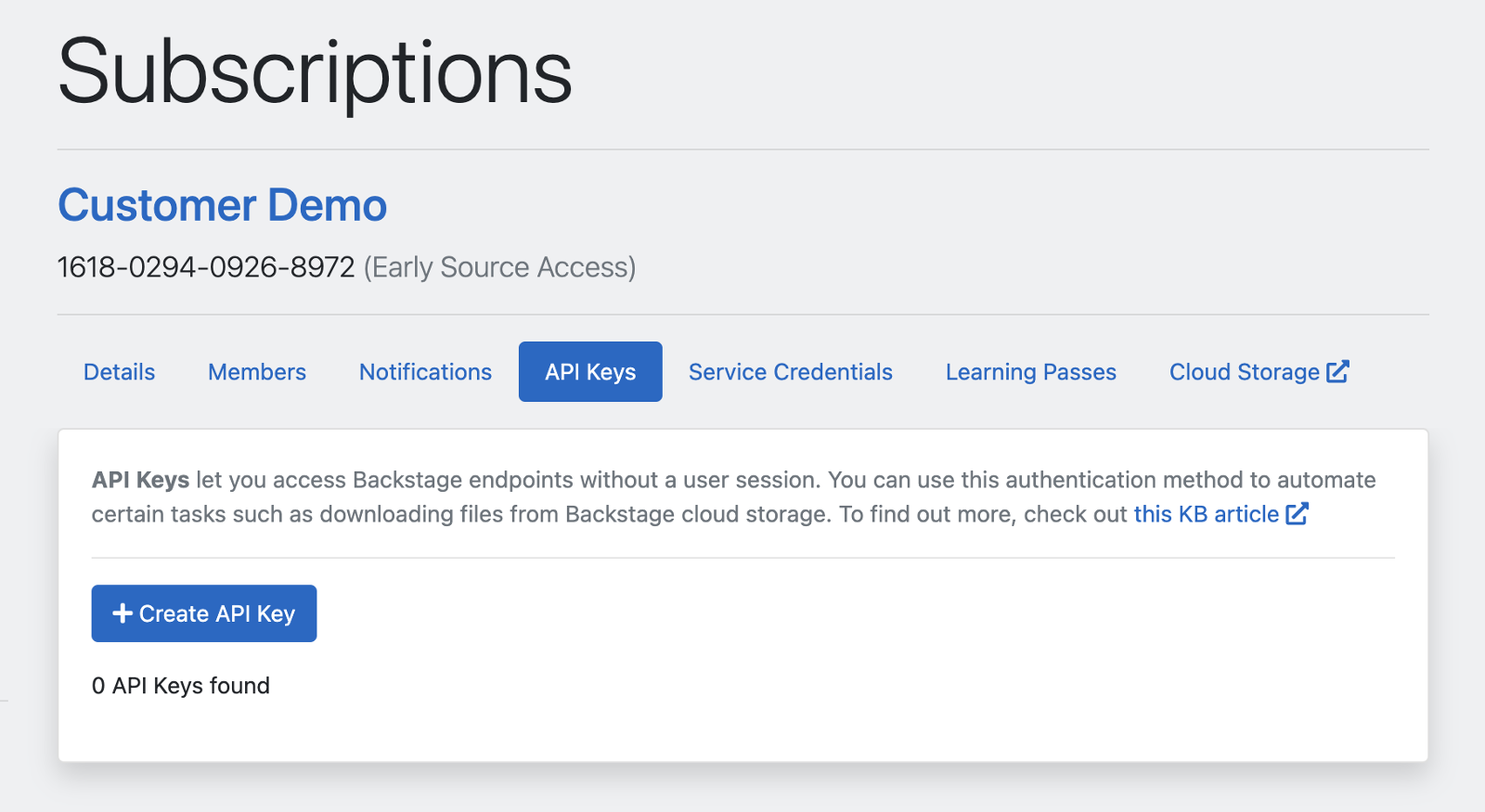
Switch to the API Keys tab:
-
Click Create API Key
-
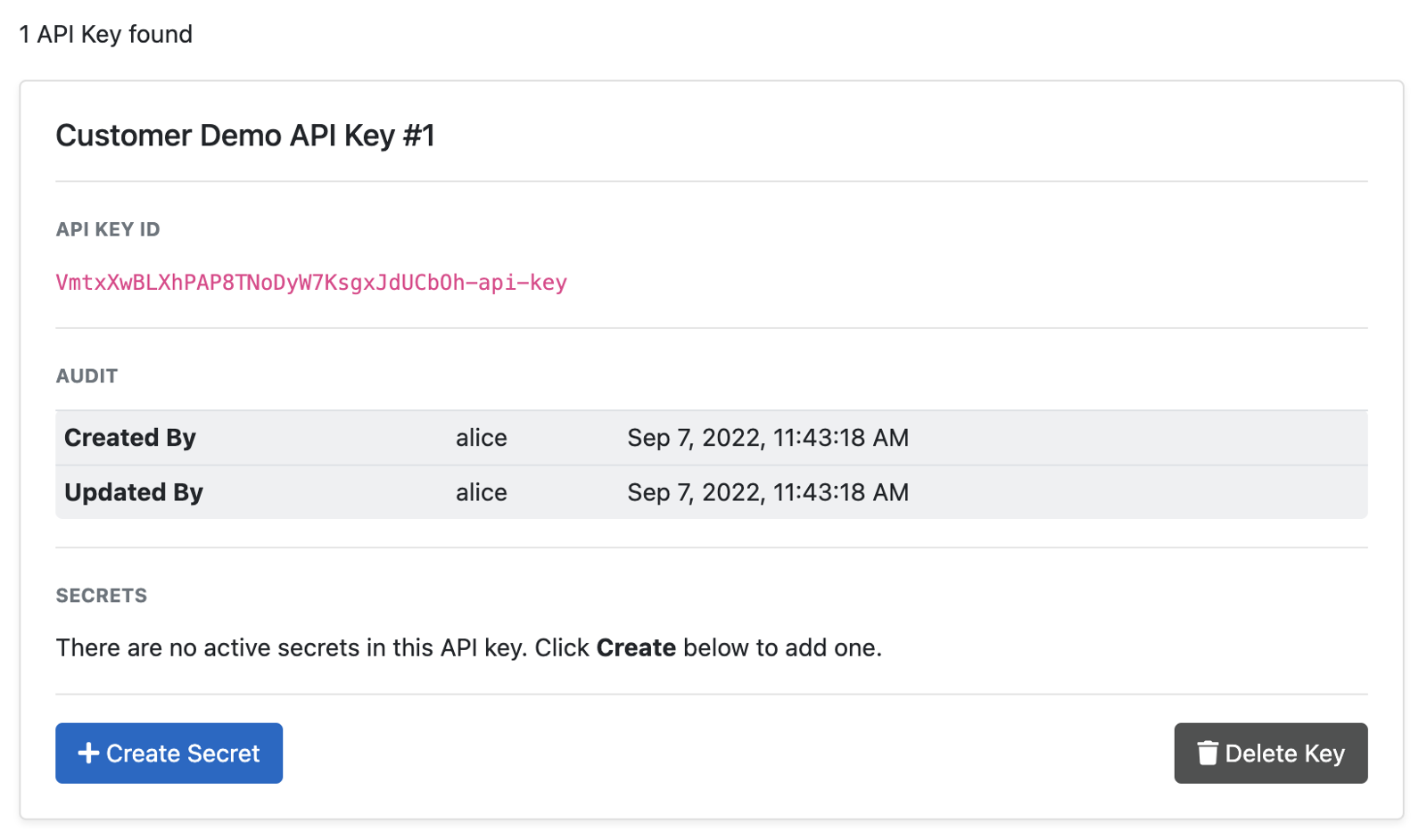
Your API key is created, but it doesn’t have any secrets yet:
-
Click Create Secret
-
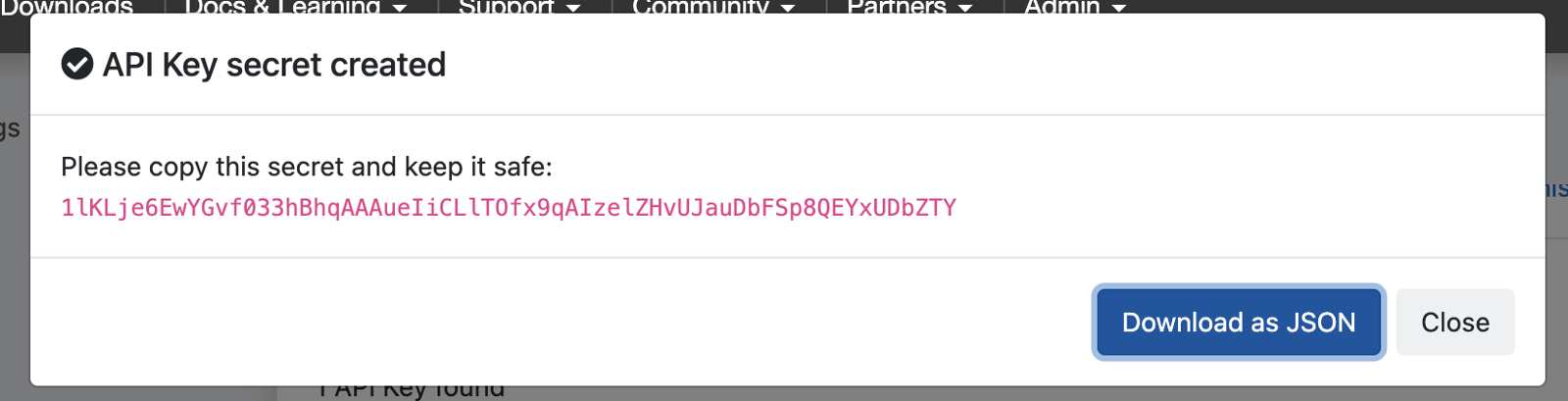
A secret is created. The secret is only shown once and cannot be retrieved again. Make sure to copy it (or download it as JSON) before you close the dialog:
-
You can now use this API key to authenticate requests.
Rotating Secrets
You can have at most 2 active secrets per API key. To rotate your secret, first create a new secret, then revoke the old one.
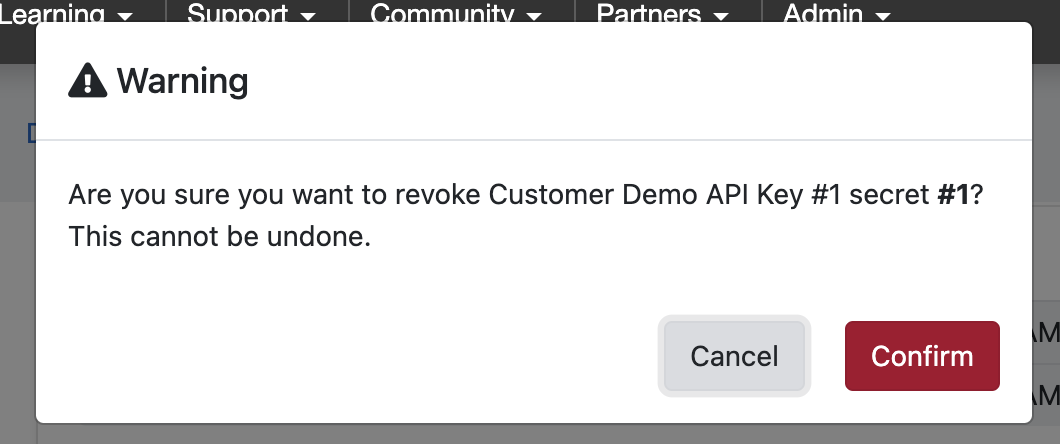
Revoking a secret sets its expiry to the current date and time.
You can also set an arbitrary future expiration date for your secrets:
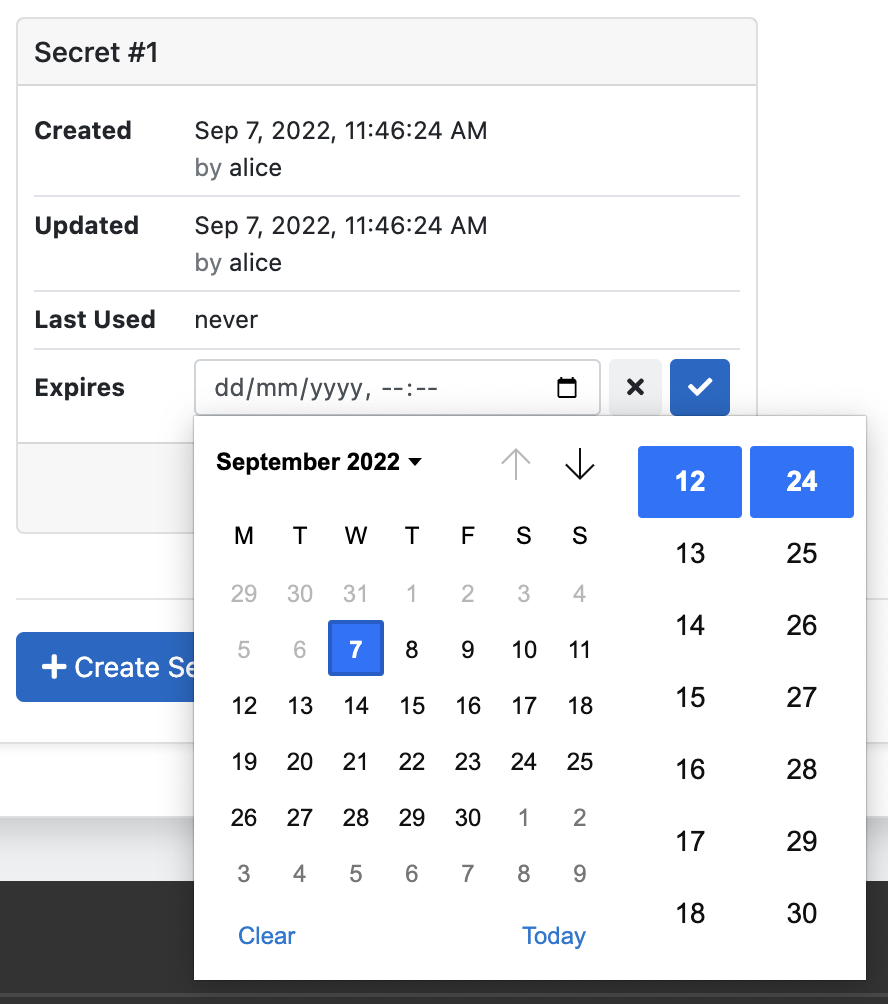
Once the expiry date of a key has passed, it can no longer be changed and the secret will not be usable for authentication.
Once the expiry date of a key has passed, it can no longer be changed and the secret will not be usable for authentication.
Backstage APIs and API Docs
In general, Backstage APIs are primarily for use with the Backstage UI and old versions are not guaranteed to be maintained. Deprecation notices will be sent to end users on a best effort basis based on the x-bs-clientid header.
Note that some APIs do not require authentication at all. There are some APIs (e.g. search) which return different results based on identity (permissions), some which require either session or API key based authentication, and others which can only be used with a session.
Currently there is no public API documentation for Backstage. We are working on publishing these in the near future. For now, the most effective way of discovering Backstage APIs is to inspect the traffic in your browser’s developer tools.
If you are looking to use the Backstage APIs for automation purposes and have questions about using them, please let us know at backstage@forgerock.com .